Photoroom
Photoroom belongs among AI tools that make sense when they speed up a specific part of work, not just demonstrate interesting technology. It helps e-shops, creators, and marketers clean photos, add scenes, and prepare consistent images for different channels. Its biggest value appears when the output is reviewed by a human and fits a real workflow.

Photoroom is a practical tool for editing product photos, removing backgrounds, and preparing visuals quickly.
With AI tools, I care about separating the effect from usefulness. A tool can look impressive, but in practice the question is whether it saves time, improves quality, or removes repetitive work.
Where it makes sense
It helps e-shops, creators, and marketers clean photos, add scenes, and prepare consistent images for different channels.
The practical benefit appears mainly when the input and expected output are clearly described. The looser the task, the more review is needed.
Workflow and review
I would not treat AI output as the final result. It is a proposal, shortcut, or first version that needs to be checked against project context.
The best use cases are those where a person still decides and AI only speeds up routine or creative work.
Input quality
AI tools depend heavily on prompts, data, and constraints. Weak input often leads to average output, even if the tool itself looks strong.
It is worth creating internal procedures, templates, or checklists that make outputs more consistent.
What to watch out for
Fast editing is useful, but the product must remain truthful. In e-commerce especially, presentation accuracy matters.
With Photoroom, it is worth checking regularly whether the tool truly improves the work or only adds another step to the process.
hub Related tools
Explore similar tools
A random selection of tools from the same category.

Clipdrop
Clipdrop belongs among AI tools that make sense when they speed up a specific part of work, not just demonstrate interesting technology. It helps remove backgrounds, clean images, extend scenes, or prepare visuals for websites and marketing. Its biggest value appears when the output is reviewed by a human and fits a real workflow.
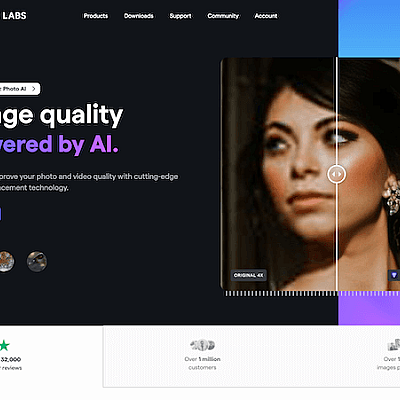
Topaz Labs
Topaz Labs belongs among AI tools that make sense when they speed up a specific part of work, not just demonstrate interesting technology. It helps rescue weaker footage, prepare sharper outputs, and improve the technical quality of visuals. Its biggest value appears when the output is reviewed by a human and fits a real workflow.
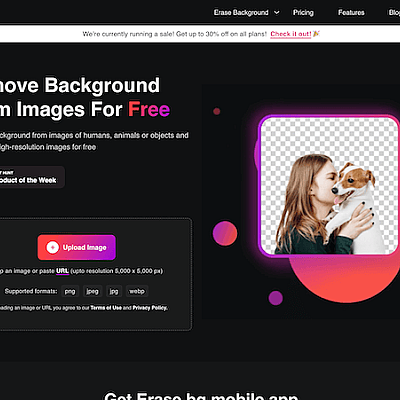
Erase BG
Erase BG belongs among AI tools that make sense when they speed up a specific part of work, not just demonstrate interesting technology. It helps prepare product images, profile photos, thumbnails, or website graphics without manual masking. Its biggest value appears when the output is reviewed by a human and fits a real workflow.
add_circle Missing a tool?
Suggest a tool for the list
If you could not find a useful tool here, send me its name and URL. I will review it and consider adding it to the public catalog.
