Uizard
Uizard belongs among AI tools that make sense when they speed up a specific part of work, not just demonstrate interesting technology. It helps design screens, prototypes, and first UI variations without the team starting from a blank canvas. Its biggest value appears when the output is reviewed by a human and fits a real workflow.
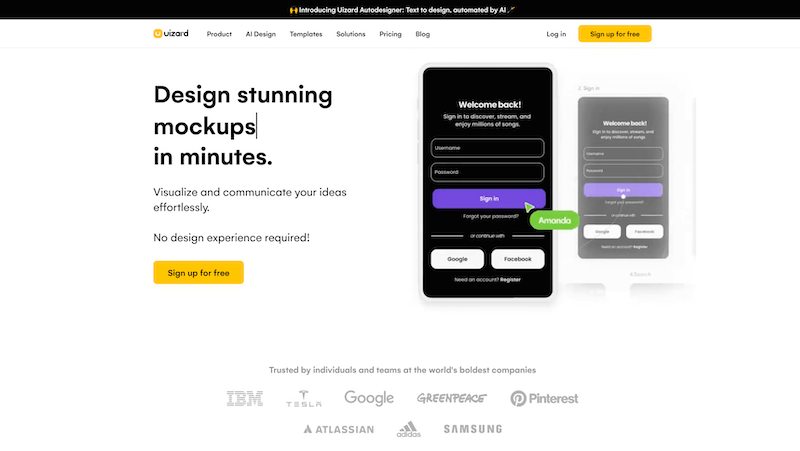
Uizard is useful for quick interface drafts, wireframes, and turning ideas into visual app concepts.
With AI tools, I care about separating the effect from usefulness. A tool can look impressive, but in practice the question is whether it saves time, improves quality, or removes repetitive work.
Where it makes sense
It helps design screens, prototypes, and first UI variations without the team starting from a blank canvas.
The practical benefit appears mainly when the input and expected output are clearly described. The looser the task, the more review is needed.
Workflow and review
I would not treat AI output as the final result. It is a proposal, shortcut, or first version that needs to be checked against project context.
The best use cases are those where a person still decides and AI only speeds up routine or creative work.
Input quality
AI tools depend heavily on prompts, data, and constraints. Weak input often leads to average output, even if the tool itself looks strong.
It is worth creating internal procedures, templates, or checklists that make outputs more consistent.
What to watch out for
A quick UI draft is good for discussion, but a real product needs states, data, accessibility, and design system work.
With Uizard, it is worth checking regularly whether the tool truly improves the work or only adds another step to the process.
hub Related tools
Explore similar tools
A random selection of tools from the same category.

Pebblely
Pebblely belongs among AI tools that make sense when they speed up a specific part of work, not just demonstrate interesting technology. It helps prepare e-commerce materials, social visuals, and ad scenes without photographing every variation. Its biggest value appears when the output is reviewed by a human and fits a real workflow.

Hotpot
Hotpot helps with using artificial intelligence to speed up work, generate useful drafts, process information, or automate selected digital tasks, so the work stays easier to understand, manage, and improve over time. It is useful when you want to rely on a proven tool instead of solving the same recurring need with an improvised process.

Fiction
Fiction belongs among AI tools that make sense when they speed up a specific part of work, not just demonstrate interesting technology. It helps suggest plots, characters, scenes, or first drafts that the writer can then refine in their own voice. Its biggest value appears when the output is reviewed by a human and fits a real workflow.
add_circle Missing a tool?
Suggest a tool for the list
If you could not find a useful tool here, send me its name and URL. I will review it and consider adding it to the public catalog.
