Wrike
Wrike helps organize work so tasks, ownership, and deadlines are not scattered across email, chat, and notes. It fits larger teams, marketing operations, agencies, or organizations where multiple types of work and approvals meet. It makes the most sense when the team keeps simple rules and uses the tool as a shared source of truth for work.
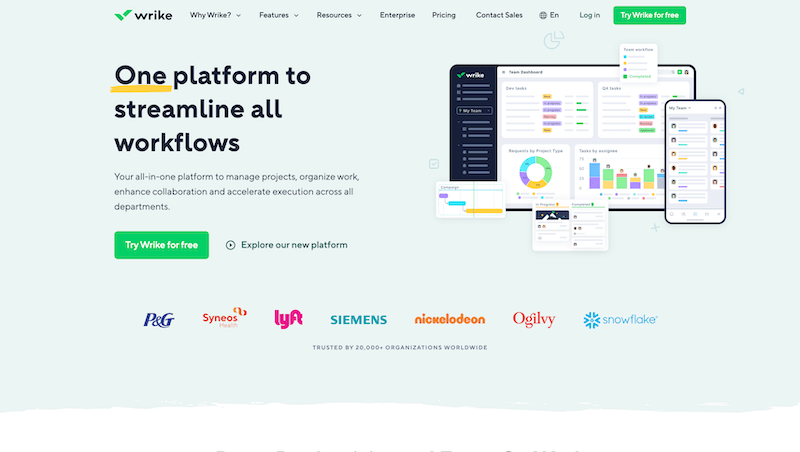
Wrike is a more robust tool for teams that need to manage work across departments, track priorities, workflows, approvals, and reporting.
With tools like this, the goal is not to fill in as many fields as possible. The important part is that everyone quickly understands what is open, who owns it, and what should happen next.
Where it fits best
It fits larger teams, marketing operations, agencies, or organizations where multiple types of work and approvals meet.
The practical benefit is better visibility of work. The team does not have to keep asking for status in chat because the basic information lives in one place.
Simple workflow
A good workflow is simple enough for the team to actually use. Statuses, tags, and priorities should support decisions, not create more administration.
If the process is too complex, people start bypassing it and trust in the tool drops quickly.
Communication around tasks
A major benefit is keeping communication close to the work it belongs to. Context does not remain hidden in private threads or lost messages.
That helps when handing over work, returning to an older decision, or onboarding someone new into the project.
What to watch out for
The risk is complexity. If the workflow is not designed carefully, the tool can feel heavy for everyday users.
With Wrike, it is better to start with a smaller workflow and expand it only when the team actually needs it.
hub Related tools
Explore similar tools
A random selection of tools from the same category.

ProofHub
ProofHub helps organize work so tasks, ownership, and deadlines are not scattered across email, chat, and notes. It fits agencies, service teams, or client projects where communication and approvals need to stay together. It makes the most sense when the team keeps simple rules and uses the tool as a shared source of truth for work.
Hive
Hive makes sense as a work organization tool when tasks can no longer live only in someone’s head, email, or a loose spreadsheet. It fits teams that want to combine tasks, project views, communication, and reporting in one work environment. Its biggest value appears when the team uses clear rules and the tool supports work instead of becoming another place for chaos.
Smartsheet
Smartsheet helps organize work so tasks, ownership, and deadlines are not scattered across email, chat, and notes. It fits planning, operational overviews, project schedules, and processes where a spreadsheet-like view still makes sense. It makes the most sense when the team keeps simple rules and uses the tool as a shared source of truth for work.
add_circle Missing a tool?
Suggest a tool for the list
If you could not find a useful tool here, send me its name and URL. I will review it and consider adding it to the public catalog.
