Laravel Horizon
Laravel Horizon is a practical layer on top of Redis queues in Laravel. It helps monitor job throughput, failures, runtime, and worker configuration, so queues are not just a process running somewhere on a server, but a part of the application you can actually observe and manage. It makes the most sense in projects where queues are used regularly and their state affects production.
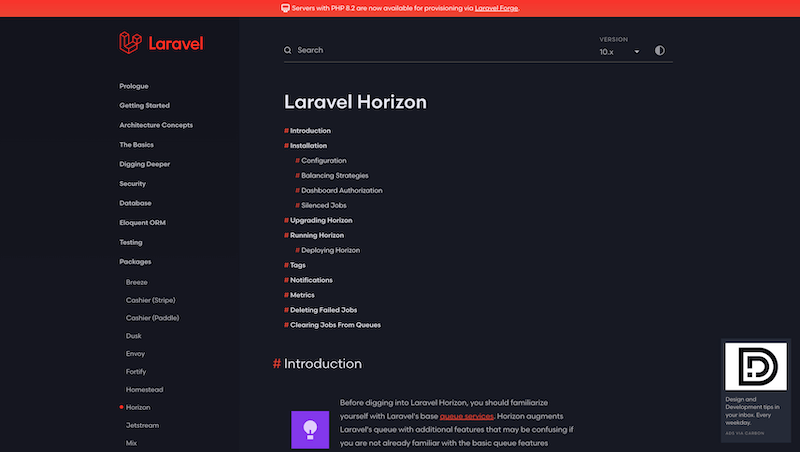
Laravel Horizon becomes genuinely useful when queues stop being just an implementation detail. If an application processes a few jobs a day, a basic queue worker and logs may be enough. But once queues handle emails, imports, exports, notifications, webhooks, or longer calculations, you need more than the knowledge that some process is running on a server.
Horizon adds visibility, metrics, and configuration around Laravel queues. It does not design your jobs for you, and it will not decide whether they are split well. What it does is help you understand what is actually happening: how quickly jobs are processed, where they fail, how long they run, and whether your workers match real production load.
When queues become an operational concern
Queues are often introduced for a simple reason: the user should not wait for a slow operation. That is a good start, but over time queues can become their own operational layer. If emails, imports, or payment webhooks are delayed, it is no longer just a technical detail. It becomes visible in the product.
That is where Horizon is useful. It gives developers and operations a shared view of failed jobs, throughput, runtime, and worker behavior. When something starts getting worse, you do not have to guess whether the problem is Redis, a specific job, or simply too few worker processes.
Configuration that belongs in code
One thing I like about Horizon is that worker configuration lives in a file. Supervisors, environments, queues, and process counts are not just manual server state, but part of the project. That matters when an application grows or runs in multiple environments.
In production, I do not want worker setup to depend on someone remembering how things should run. I want it versioned, readable, and repeatable. Horizon fits that well because it lets you define different behavior for local development, staging, and production, including balancing strategies and process limits.
The dashboard as fast feedback
The dashboard is not just a nice extra. With queues, quick visual feedback is often more useful than digging through logs. When you can see failed jobs, waiting queues, and job runtimes, it is much easier to tell whether a problem is isolated or becoming a pattern.
Access control matters, though. The Horizon dashboard should not be exposed publicly without protection. In production, authorization needs to be clear because the dashboard contains operational information about the application. With access handled properly, it becomes a very useful tool for developers and technical support.
What to watch out for
Horizon will not rescue badly designed jobs. If jobs are not idempotent, handle retries poorly, or try to do too much at once, the dashboard will only show the consequences. You still need to think about job boundaries, runtime, retry behavior, and what should happen when something fails.
Horizon is most valuable as part of operational discipline. Queues are monitored, failed jobs are handled, worker configuration changes with real load, and metrics are not just decoration. In that setup, Horizon is a very practical tool because it turns an invisible part of the application into something you can actually manage.
hub Related tools
Explore similar tools
A random selection of tools from the same category.
Larastan
I use Larastan as a way to bring static analysis into a Laravel project without ignoring Eloquent, facades, and the dynamic parts of the framework. It does not replace tests or review, but it can catch type errors, incorrect return values, and small problems that would otherwise appear only when the application is running.
Pest PHP
Pest PHP is a modern testing framework for PHP with a simple and readable syntax. It is not only a nicer way to write tests, but a tool that lowers the friction of testing regularly and fits naturally into the Laravel ecosystem. It helps most when tests are a normal part of development, not a separate chore at the end.

Spatie
Spatie is best known for its long-maintained PHP and Laravel packages. In practice, I see it as a source of proven solutions for recurring problems: permissions, media handling, activity logs, backups, data objects, webhooks, and other application concerns. The value is not installing everything, but choosing the package that truly simplifies the project.
add_circle Missing a tool?
Suggest a tool for the list
If you could not find a useful tool here, send me its name and URL. I will review it and consider adding it to the public catalog.
