Screaming Frog SEO Spider
Screaming Frog SEO Spider is a practical crawler for technical SEO checks. It helps crawl pages similarly to a search engine and find issues in URLs, titles, meta descriptions, redirects, canonicals, status codes, and internal links. Its biggest value appears during audits, migrations, or checks of larger websites.
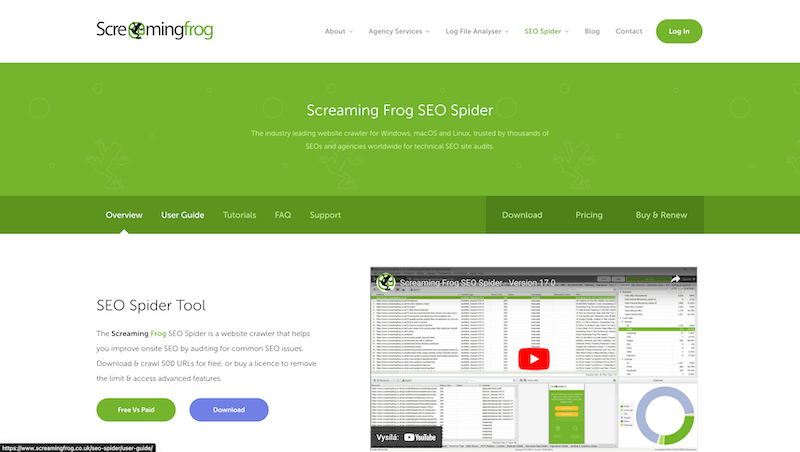
Screaming Frog SEO Spider is useful when I need to actually crawl a website, not just guess its condition from a few manually opened pages.
Technical SEO often fails in details: a wrong status code, duplicate title, broken canonical, or forgotten redirect. A crawler helps find those details systematically.
Whole-site audits
Manual checks are not realistic for larger websites. Screaming Frog crawls URLs and creates an overview of problems that would otherwise stay hidden.
It is useful during technical audits, before a redesign, after a migration, or after a larger structural change.
Metadata and indexing
The tool quickly reveals missing or duplicate titles, meta descriptions, headings, canonicals, and indexing signals.
That does not save SEO by itself, but it removes technical issues that can hold good content back.
Redirects and internal links
During migrations, redirect checks are critical. Screaming Frog helps find chains, 404s, loops, or pages without internal links.
That lets the migration be guided by data instead of hope that nothing was forgotten.
What to watch out for
A crawler shows technical state, but it does not automatically decide what matters commercially. Outputs need to be prioritized by impact.
The best results come when crawl data is combined with analytics, Search Console, and knowledge of the site structure.
hub Related tools
Explore similar tools
A random selection of tools from the same category.
Google Tag Manager
I use Google Tag Manager mainly when data should lead to a practical decision, not just another report. It helps deploy and manage tags, events, and marketing scripts without requiring every small change to go through an application deployment. It makes the most sense when results are reviewed regularly and connected to specific changes on the website or in campaigns.
Google Ads
I use Google Ads mainly when data should lead to a practical decision, not just another report. It helps manage search, display, shopping, or video campaigns and evaluate which queries, audiences, and creatives bring return. It makes the most sense when results are reviewed regularly and connected to specific changes on the website or in campaigns.

Google Data Studio
I use Google Data Studio mainly when data should lead to a practical decision, not just another report. It helps build dashboards from multiple data sources and makes metrics available to people who do not need direct access to analytics or advertising tools. It makes the most sense when results are reviewed regularly and connected to specific changes on the website or in campaigns.
add_circle Missing a tool?
Suggest a tool for the list
If you could not find a useful tool here, send me its name and URL. I will review it and consider adding it to the public catalog.
