8 min read
How I Use AI Agents to Manage My Website
I use an AI assistant on my personal site to prepare articles and edit pages. I can work with it in the admin panel or from a conversation in ChatGPT or Claude. Either way, it can find existing content, prepare a specific change, and wait for me to approve it.

When I get an idea for an article, I often have no outline yet. I have a few thoughts, an experience to share, and a sense of what I want readers to take away. I start talking about it and gradually work out what makes the topic interesting.
I use Wispr Flow to dictate my notes into the AI assistant or an external client. I explain what came to mind, why I want to write about it, and what the article should cover. AI helps me organise those thoughts, suggests a structure, and prepares an initial text. I read it and follow up with anything I want to add or express differently. The article gradually takes shape through conversation.
Turning those notes into a draft on the site still involves quite a few steps. There is a title and an excerpt to write, a second language version to prepare, links and images to add, and search metadata to fill in. Then I need to see how it all works together.
I love automation. And when it comes to writing articles, I can also be a little lazy, so I had plenty of motivation to make the process easier. I gradually simplified it to the point where I started enjoying the “writing” itself, which in my case mostly means talking into my phone. 🙂 I dictate my thoughts, discuss them with AI, and together we work them into an article.
Once the assistant or external AI client and I agree on the content and the requested changes, much of the remaining work can happen automatically. The agent prepares the language versions, fills in the relevant fields, assigns categories and tags, adds links, and handles images according to the brief. After the necessary approvals, it saves a draft in the admin panel, where I can open it and review it before publishing.
That lets me give more attention to what I want the article to say. I can capture an idea when it occurs to me and develop it through conversation into a draft ready for review on the website.
An assistant in the admin panel
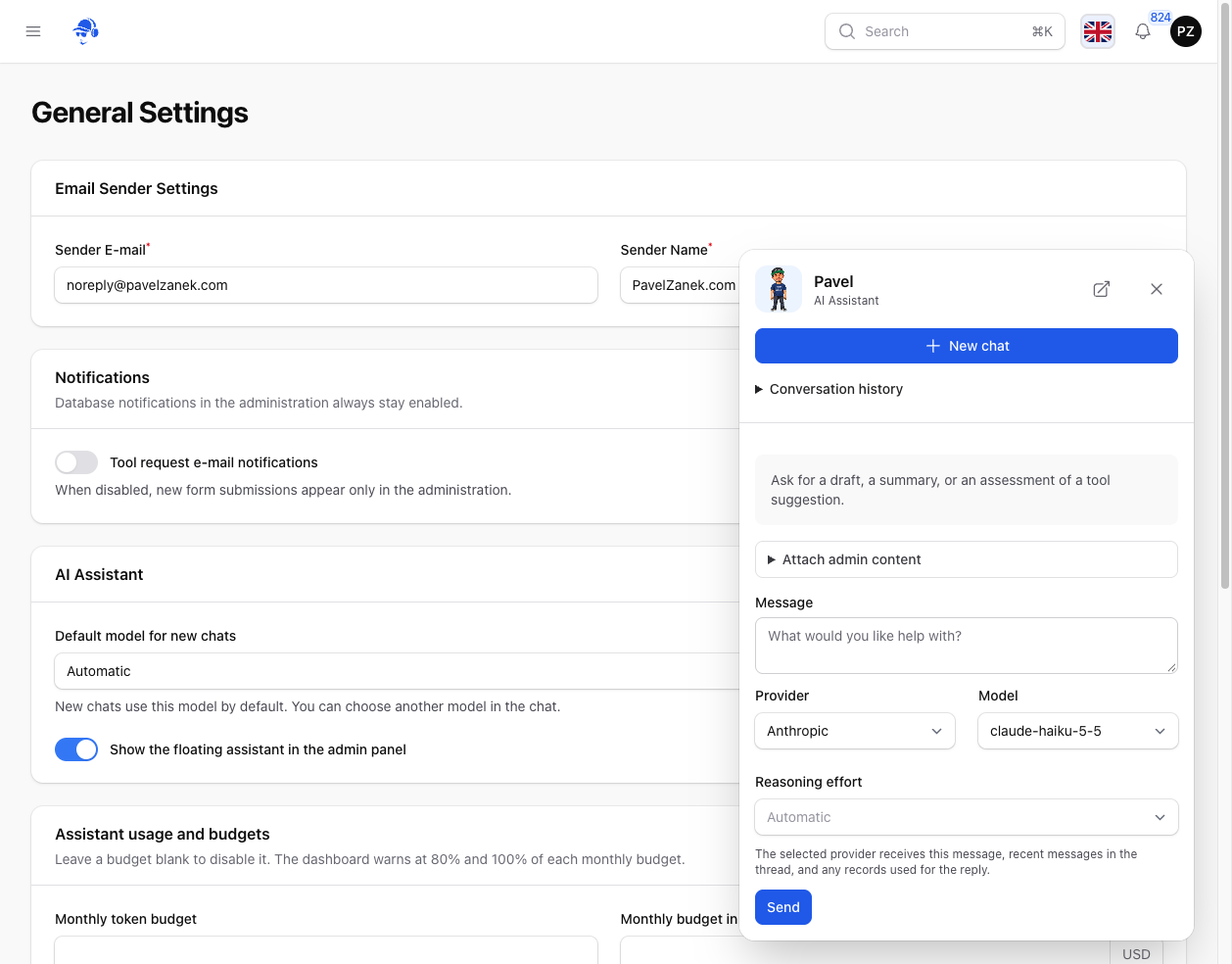
The first option is the assistant built into the site. It has a dedicated page with conversation history, and I can also open it from a floating mascot in the bottom-right corner. If I have a draft open or I am looking through a page, I can ask a question from there. When I return to the topic later, I can pick up the earlier conversation.
For each message, I can choose a provider, a model, and, where the model supports it, a reasoning effort. I can use a quick model to brainstorm titles and switch models for the next message to compare the Czech and English versions. Replies show their usage, and there is a separate overview where I can track usage against a budget.
The same website from ChatGPT or Claude
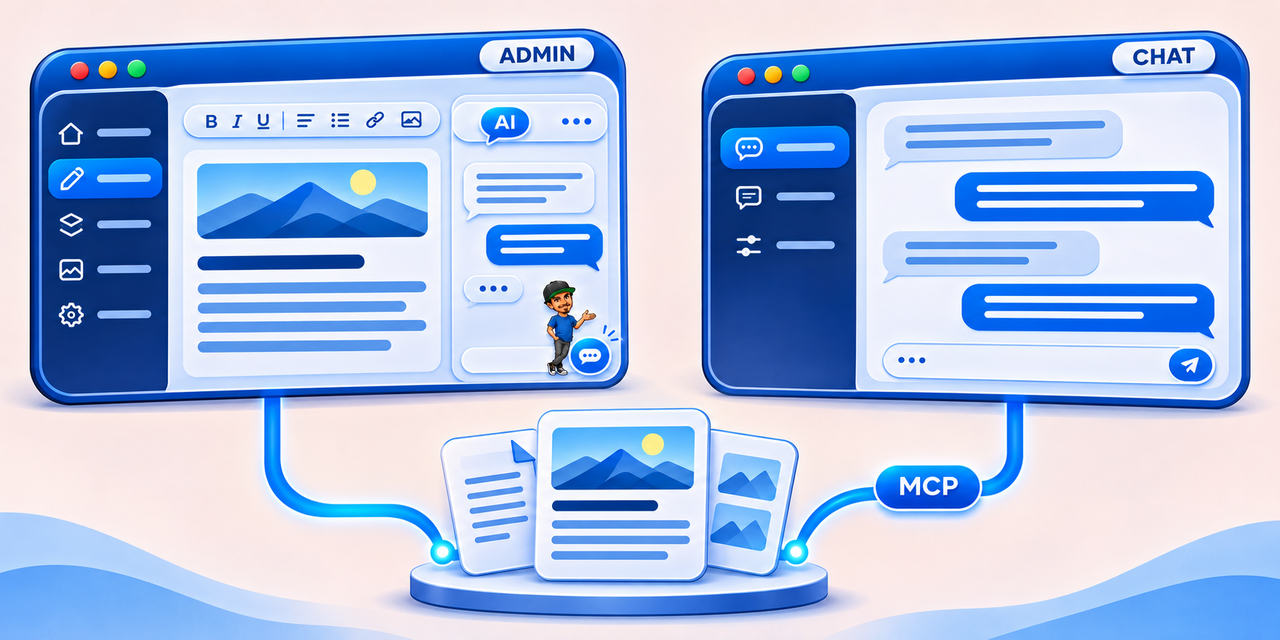
The other option is useful when I am already discussing a topic in an external chat. I can start in ChatGPT or Claude, work through an outline, explore a few versions, and ask it to save a draft in the same conversation. Everything we have discussed about the article is still there.
I connect the external client to my site through MCP, short for Model Context Protocol. It is a standard that lets an AI application use functions provided by another system. On my site, those functions include finding an article, reading its current text, and preparing a change for approval. What the client can do depends on the authenticated account and the permissions granted to the connection. Introduction to MCP
In either environment, I can type or dictate my request in Czech. I can describe the article or page I have in mind, and the assistant can look it up by title. If several records fit the description, it can ask which one I meant.
How an article becomes a draft
Turn these notes into a draft in Czech and English. Suggest a title, an excerpt, and search metadata. Look through older articles on the topic and suggest where a link would make sense. Save it as a draft.
That request can produce a draft in the admin panel with both language versions, metadata, and assigned categories and tags. The assistant can look up the categories that already exist and see how I have connected related topics in previous articles. It can add a link within a sentence, attach useful resources to the post, or put an important passage in bold.
Images can be part of the brief too. The main image belongs to the article, while the social image appears in its sharing preview. I can use two versions of the same illustration or choose a different image for each. If I want an image inside the article, I can describe where it should go. For example, “Put the illustration under the heading about creating a draft, just after the first paragraph.” The assistant can use the heading and nearby text to find the right place in the editor.
I can then open the saved draft, read both versions, and check that the article still says what I wanted it to say. Publishing is a separate decision I make myself.
An existing page often needs one small edit
For pages on the site, I tend to think in smaller requests. A paragraph on the page about my experience might need more precise wording, or a reference might be worth linking to a newer article. The assistant can read the current text, find the relevant passage, and prepare an edit in the language I asked for. For a page that is already public, I review the proposal before approving it, since saving the edit can change what visitors see right away.
The ability to edit one place came out of a practical problem. In one test, the client tried to add a link to an existing article with access to only its opening section. When it tried to use HTML in a text replacement, the editor displayed the tag as text. That exposed two separate jobs the assistant needed to handle. It had to find a specific sentence well beyond the opening and add the link in a form the editor understood. The same approach helps when I need to correct one term or change the formatting in a longer piece.
A question as ordinary as “Which articles came out last week?” highlighted how much depends on the information the website returns. To answer reliably, the assistant needs publication dates and a way to search by them. A list of the newest articles alone cannot answer that question.
How this article came about
This article is taking shape in the very conversation where we were developing the assistant for my website. The agent was working on the application’s logic while I guided it, reviewed the results, and explained how I wanted to use the assistant. At one point, it occurred to me that this experience could make an article of its own.
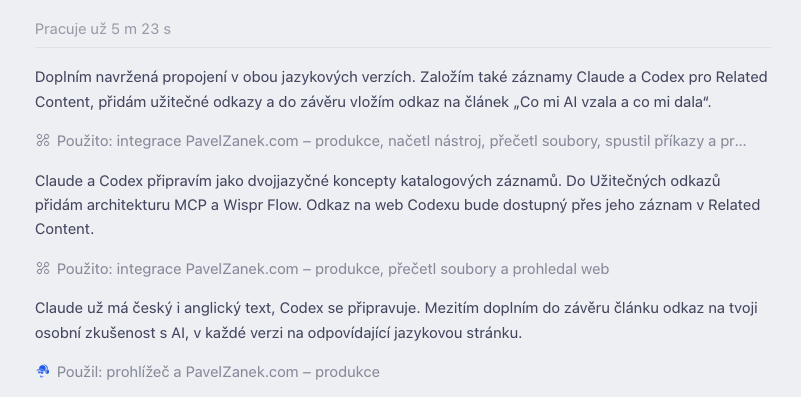
A glimpse of our collaboration: the AI agent prepares related records and links the article to other website content. The screenshot shows the original Czech conversation.
The idea came while I was outside, away from my computer. Using my phone, I dictated what I wanted to write about, which parts of our work together belonged in the article, and the angle I had in mind. The agent already had the context of the development work. It knew what we had discussed, which capabilities we had added, and where testing had uncovered problems.
It prepared an initial draft from those notes. I read it and dictated more context in a follow-up message. That is how this section about writing the article came about too. I barely edited the original notes themselves. I shared thoughts as they occurred to me, and we worked them into the text together.
Some of the assistant’s development happened in a similar way. I left my computer running at home and guided the work in Codex remotely from my phone through the native ChatGPT mobile app. I followed progress, reviewed the diff—the record of changes to the code—and requested further edits. That let me continue working while I was away from home.
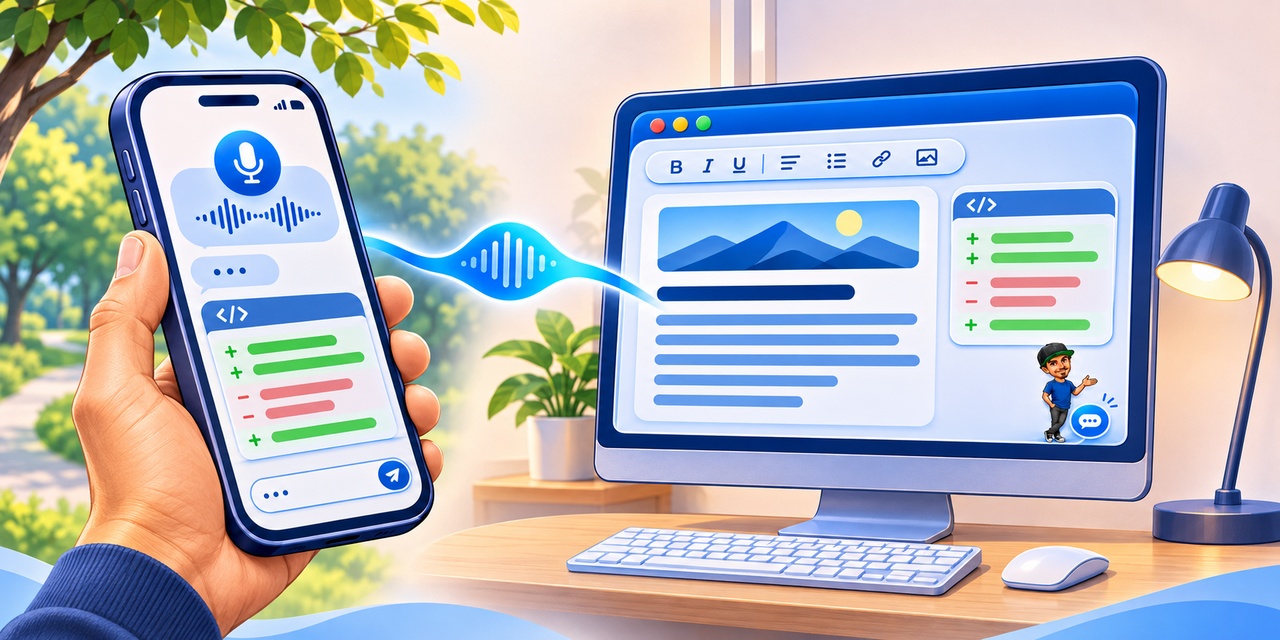
What I enjoy about this process is how the steps connect. We discuss the website’s capabilities in one conversation, that experience sparks an article idea, and the conversation turns it into a draft. Once I approve it, I can use the website connection to send it to the admin panel. The same context that helped during development also helps explain what we built and why.
What it makes easier for me
I get the most out of it when I move from thinking through an idea to editing it on the site. Once I have worked out an article’s structure in chat, I can turn it into a draft with both language versions and the material that belongs alongside them. If all I need is to fix one paragraph, I can describe what I want to say more clearly. In both cases, I get a specific proposal I can read and refine before approving it.
That means I spend less time moving text between the chat and the website. In the editor, I can focus on whether both versions sound natural, whether the links help the reader, and whether the piece is ready to publish.
I explore how AI has changed my everyday work in What AI Took from Me and What It Gave Me.
I take a similar approach to software development, where an agent’s capabilities and the checks I run on its work translate into a different set of steps. How I use AI agents in Laravel development
open_in_new Related resources
Links to related resources
Selected references, documentation, repositories, and other useful materials connected to this content.
MCP architecture overview
Official documentation explaining MCP clients, servers and the communication that connects AI applications to external data and tools.
Wispr Flow
The official website of the voice dictation tool used to capture ideas and turn spoken notes into text for the article.
hub Related content
Related content
Additional content from this site connected to this article.
ChatGPT
ChatGPT belongs among AI tools that make sense when they speed up a specific part of work, not just demonstrate interesting technology. It helps with writing, programming, research, clarifying requirements, and finding different ways to approach a problem. Its biggest value appears when the output is reviewed by a human and fits a real workflow.
Claude
An AI assistant from Anthropic for writing, analysis and software development.
Codex
OpenAI's coding agent for exploring code, implementing changes and reviewing software.
Categories
You might also enjoy

What AI Took from Me and What It Gave Me

From My Computer to the Team: Our First Shared Project with the Starter Kit