Laravel Jetstream
Laravel Jetstream is a starter kit for Laravel applications that need a ready-made foundation for login, registration, user profiles, two-factor authentication, session management, and optionally teams. It makes the most sense when you do not want to rebuild common application infrastructure from scratch, but still want to stay in the Laravel ecosystem and keep control over the result.
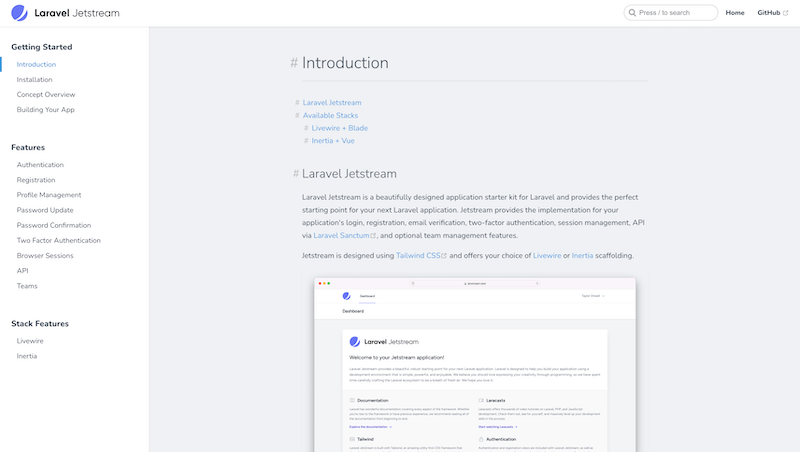
I see Laravel Jetstream mainly as a way to avoid starting an application from an empty page. Most internal tools, SaaS products, and client portals quickly need the same foundation: registration, login, profile management, password changes, two-factor authentication, browser session management, and sometimes teams.
All of that can be written by hand. The question is whether it should be. Authentication and user accounts look ordinary from the outside, but there are many details where mistakes are easy to make. Jetstream provides a ready-made Laravel foundation that can still be adjusted to the needs of the project.
When a starter kit makes sense
Jetstream makes sense when an application needs a standard user area and I do not want to spend time rebuilding the same screens again. In a new project, it is often more important to validate the product logic than to design another password update form or two-factor authentication flow from scratch.
That does not mean Jetstream belongs in every application. For a very simple website without user accounts, it is unnecessary. But if I am starting an application with users, profiles, permissions, and maybe teams, it is worth asking whether a ready-made foundation saves more work than it adds decisions.
Livewire, Inertia, and stack decisions
Jetstream is not only a set of screens. During installation, you also choose a frontend approach, commonly Livewire or Inertia. That choice matters because it shapes how the application will evolve. Livewire fits projects that want to stay closer to Laravel and Blade. Inertia feels more natural when the team has a stronger frontend stack.
That is why I would not treat Jetstream as just a quick install command. It is worth deciding what kind of application is being built, who will maintain it, and which technologies are comfortable for the team long term. A starter kit should save time, not force the project into a stack that does not fit.
Teams and the application model
Optional team support is useful, but it also changes the shape of the application. Once users do not act only as individuals, but inside teams or organizations, that affects permissions, the data model, and the interface. Jetstream can help with that, but the architectural decision still belongs to the developer.
For SaaS applications, the team model can be an excellent starting point. For simpler internal tools, it can be too much. Jetstream should be treated as a foundation that needs to be shaped around the domain, not as a complete answer to every question about users and organizations.
What to watch out for
The biggest risk with Jetstream is accepting everything the starter kit offers without thinking. If the project does not need API tokens, teams, or some profile features, it is better to decide that early. Otherwise the application may carry features nobody uses, while still requiring maintenance.
Used intentionally, Jetstream is very practical. It helps start with a more complete and safer foundation, removes repeated work, and lets the developer focus on the domain. It does not solve the product for you, but it removes part of the technical foundation that would otherwise slow the project down.
hub Related tools
Explore similar tools
A random selection of tools from the same category.
Spatie
Spatie is best known for its long-maintained PHP and Laravel packages. In practice, I see it as a source of proven solutions for recurring problems: permissions, media handling, activity logs, backups, data objects, webhooks, and other application concerns. The value is not installing everything, but choosing the package that truly simplifies the project.
Pest PHP
Pest PHP is a modern testing framework for PHP with a simple and readable syntax. It is not only a nicer way to write tests, but a tool that lowers the friction of testing regularly and fits naturally into the Laravel ecosystem. It helps most when tests are a normal part of development, not a separate chore at the end.
Laravel Sanctum
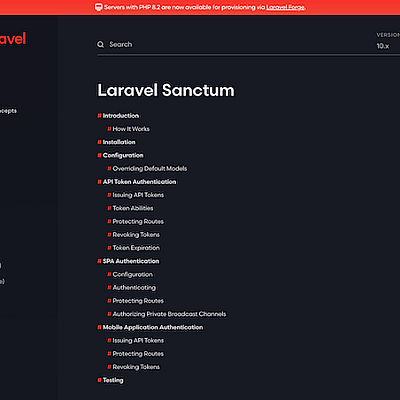
Laravel Sanctum is a lighter authentication solution for Laravel applications that need to protect SPAs, mobile apps, or simple token-based APIs. Its strength is not replacing OAuth in every scenario, but practicality: it supports session authentication for first-party SPAs and personal API tokens with abilities for simpler integrations.
add_circle Missing a tool?
Suggest a tool for the list
If you could not find a useful tool here, send me its name and URL. I will review it and consider adding it to the public catalog.
