17 min read
Validarium: What My Own App Teaches Me About Development and AI
How I use Validarium to deepen my Laravel and mobile development skills, connect security and integrations, and refine my workflow with AI agents. Includes a technical overview of the project.

Working on client projects gives me experiences that I like to revisit later. Some solutions prove themselves immediately. With others, it takes time before I can see what I would design differently today. Gradually, I am building my own understanding of how I want to develop, run, and maintain applications.
To test these ideas together, I need a space where I can make decisions about the entire project, from the initial idea through architecture and user experience to deployment.
For me, that space is Validarium: a personal project I develop in my spare time to deepen my technical knowledge. It is also where I experiment with my AI development workflow, how I assign work to agents, and how I review their results.
From a user's perspective, Validarium has a simple purpose: recording items with deadlines or expiration dates that need attention. From my perspective as a developer, it is also an opportunity to bring web and mobile applications, workspaces, permissions, integrations, security, and operations into a coherent whole.
This article explores both perspectives.
Why I Started Validarium
Validarium began primarily as a small side project where I could experiment and expand my skills. I chose a subject that was easy to understand while leaving plenty of room for meaningful development.
Remembering deadlines is not a major problem for me. However, I was not happy with how reminders worked in the calendar I was using.
When I added an expiration date or another deadline, I ran into limitations in my setup and the way I used it. The notification arrived at a scheduled moment, but adjusting its timing did not give me the flexibility I wanted. I also generally worked with only one reminder per item.
I often prefer reminders at more than one point in time. The first should arrive early enough to let me arrange whatever is needed. The second should arrive closer to the deadline, when it is time to finish the task.
For me, the first notification means: start planning for this. The second means: come back to it now and get it done.
I am not suggesting that calendars generally cannot support multiple reminders. I am describing the specific experience that made me think about how I wanted to use an application like this. I was interested in an environment designed around expirations, reminders, and quick capture.
That was a concrete enough starting point. I had a simple problem, a personal idea of how the product should work, and room to learn.
Easy Capture Matters Most to Me
In an application like this, I consider the moment when someone adds an item especially important.
If recording something takes too long, it is easy to decide to do it later. I have to open the right application, find the form, fill in several fields, and make decisions I do not have time for. A useful record can become another small chore.
I want that process to be as simple as possible.
Sometimes I need to take out my phone, enter an item's name, and record that its expiration needs tracking. At other times, I would prefer to add a photo and complete the details later. In another situation, I am already working in a different tool and do not want to switch environments for a single record.
That is why the possibility of using Validarium through external applications and AI clients appealed to me from the beginning. When I am already dealing with related information somewhere, it makes sense to add or retrieve a record from that environment.
This is the direction I want to use when deciding what to develop next. Individual input methods can evolve and expand. The underlying requirement remains the same: the path from an idea to a saved item should be short, clear, and convenient.
The application should help me take care of a small matter while it is on my mind. It should not create more work around it.
Who Might Find This Useful?
Although Validarium starts from my own way of working, expiration tracking applies to many everyday situations.
It could involve an identity document, the end of a contract, a subscription, a warranty, or another deadline that requires action. What these situations share is that the date alone is often not enough. It also matters how far in advance someone needs to start dealing with the item.
Some things only need a reminder shortly beforehand. Others require time for paperwork, a decision, or communication with someone else. Those differences are what interest me when designing reminders.
Sharing adds another dimension. A personal record has different needs from a workspace used by several people. Once multiple users have access to items, roles, responsibilities, and permissions also become important.
This is where a simple idea naturally meets the technical subjects I want to understand more thoroughly.
The Web Application Is Live; Android Is in Testing
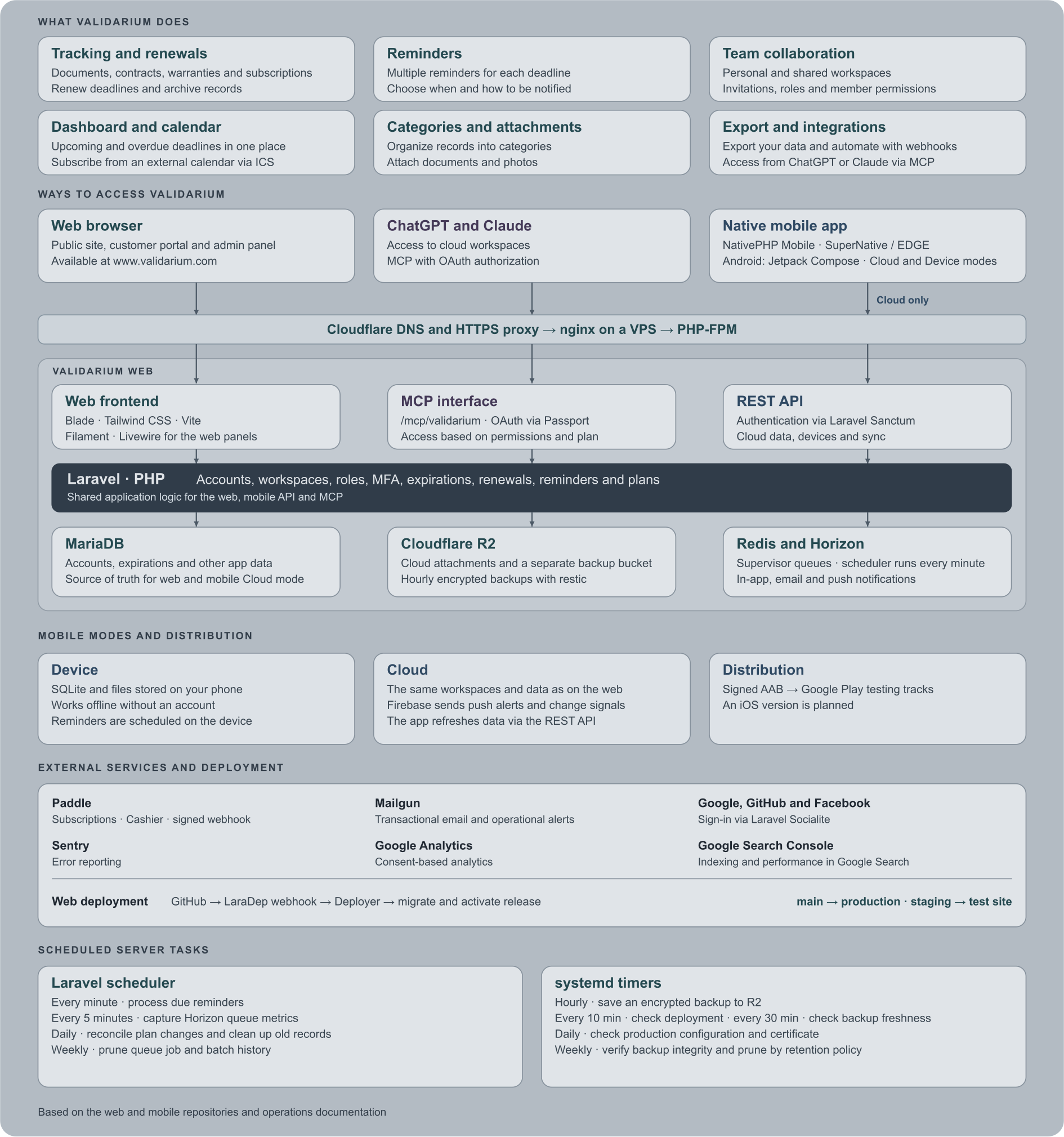
The web version of Validarium is already running at validarium.com. I have not focused much on marketing yet. At this stage, my attention is primarily on the product, how it works, and what I learn while developing it.
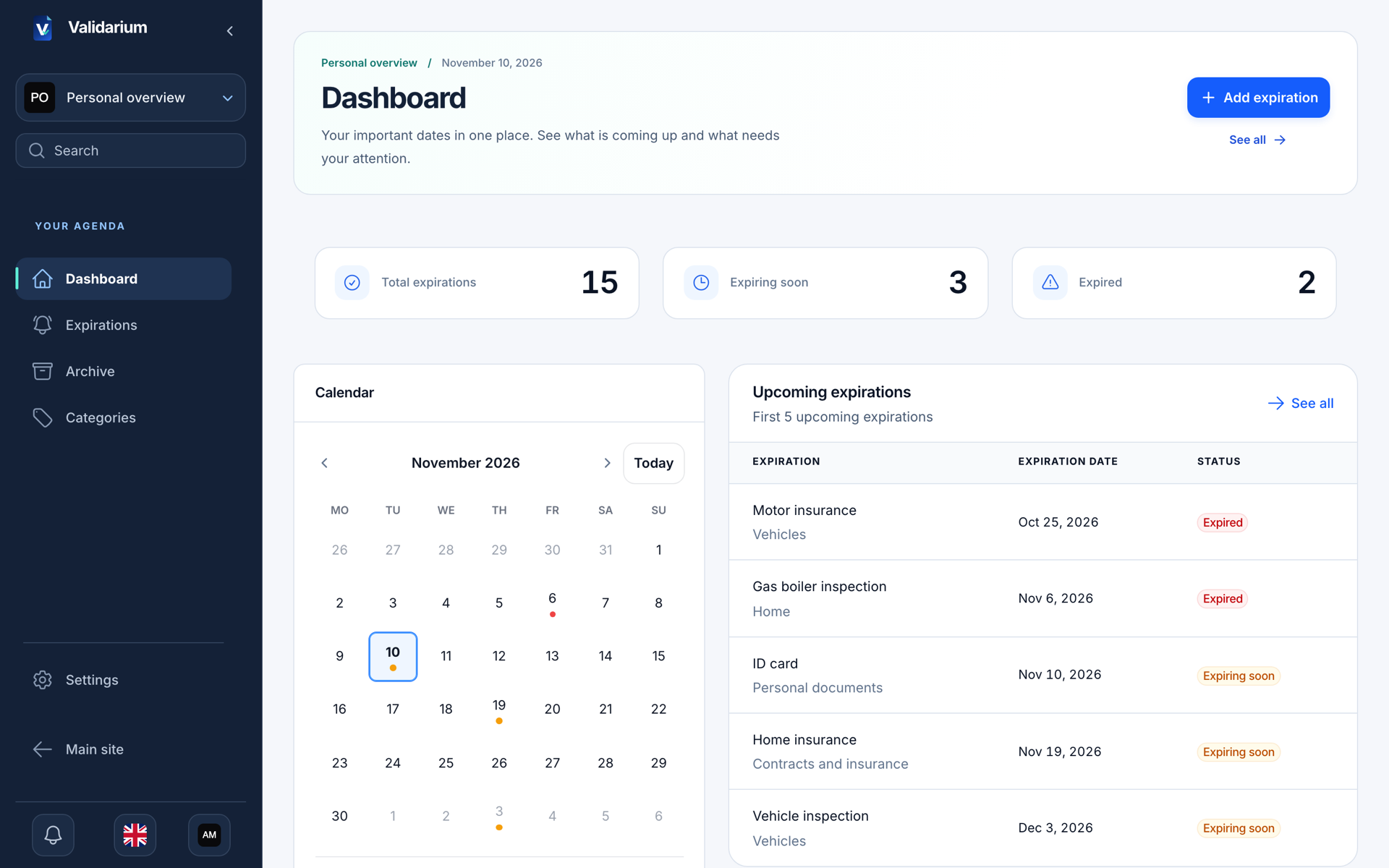
The Validarium web dashboard with an expiration overview and calendar. Screenshot with sample data.
Alongside the web application, I am building an Android application. It is currently in internal and closed testing.
The mobile application offers two ways to use it. In Device mode, it works without an account: data stays on the phone, and reminders are scheduled directly by the device. This lets people keep their own records without storing them in the cloud.
Cloud mode connects the mobile application to the web app. Items synchronize across devices, and workspaces can be shared with other people depending on the selected plan. Cloud data also enables push reminders to be sent from the server. During development, I therefore consider not only the differences between desktop and phone interactions, but also how the application should work with data kept entirely on the device and with shared data.
I am developing the mobile application with NativePHP in the Laravel ecosystem. As someone who has worked with Laravel for a long time, I see this as an opportunity to extend my experience into mobile development.
Knowing the framework is a good starting point. A phone, however, brings a different way of using an application. It has a smaller screen, different interactions, and users often want to complete one short action between other activities.
That is particularly important for Validarium. If it is meant to support quick capture, I need to think about how many steps users take, what they need to see immediately, and what can wait.
Developing the mobile version therefore helps me look at the product itself differently. It pushes me to clarify which information matters and how simple the path to a result can be.
A Personal Project Lets Me Combine Practical Experience
In my main work, I regularly collaborate with a team, bringing together client requirements, colleagues' work, and technical constraints. On a personal project, I can revisit individual decisions and change my workflow according to what I want to explore.
In Validarium, I bring practical experience together into one whole. Permissions affect the API, workspaces determine data access, and the mobile application shapes how users interact with the product. Integrations need to respect the same rules as the web interface.
These connections are what I value most. I can try a standalone feature in a small example. In a real application, however, I see how it works alongside other parts and what consequences my decisions have.
Workspaces and Context-Specific Permissions
Workspaces are an important part of Validarium.
They are connected to the design of multi-tenancy and user permissions. The application works with roles and permissions both globally and within individual workspaces.
A workspace owner can also create custom roles and assign the available permissions according to their needs. They do not have to rely solely on a few predefined role names.
From a development perspective, this means that a signed-in user's identity is only part of the information required. Every operation also has a context: which workspace the user is working in and what permissions they have there.
This design affects the entire application. It influences which data is available, which actions are shown, and what should be allowed through the different interfaces.
It is also one of the areas I consider valuable for future projects. Multiple users and separate workspaces can be relevant to many applications. I want experience with a solution that I understand and can continue developing.
Storage, Queues, and the Operational Foundation
Validarium uses S3-compatible storage provided by Cloudflare R2. Application data is stored in MariaDB. I use Redis for caching, queues, and sessions.
Background job processing, including a queue worker, is part of the project. This makes me consider which operations should happen during a user request and which can run in the background.
These subjects may not be visible when looking at a finished screen. During development and operation, however, they affect how the application behaves and how it can evolve.
A personal project lets me follow these connections from design through deployment. Having a feature that works locally is not enough for me. I also want to understand what it needs to run and how it fits into the environment where the application will actually be available.
This gradually brings application development closer to responsibility for operating it.
MFA and a Deeper Understanding of CSP
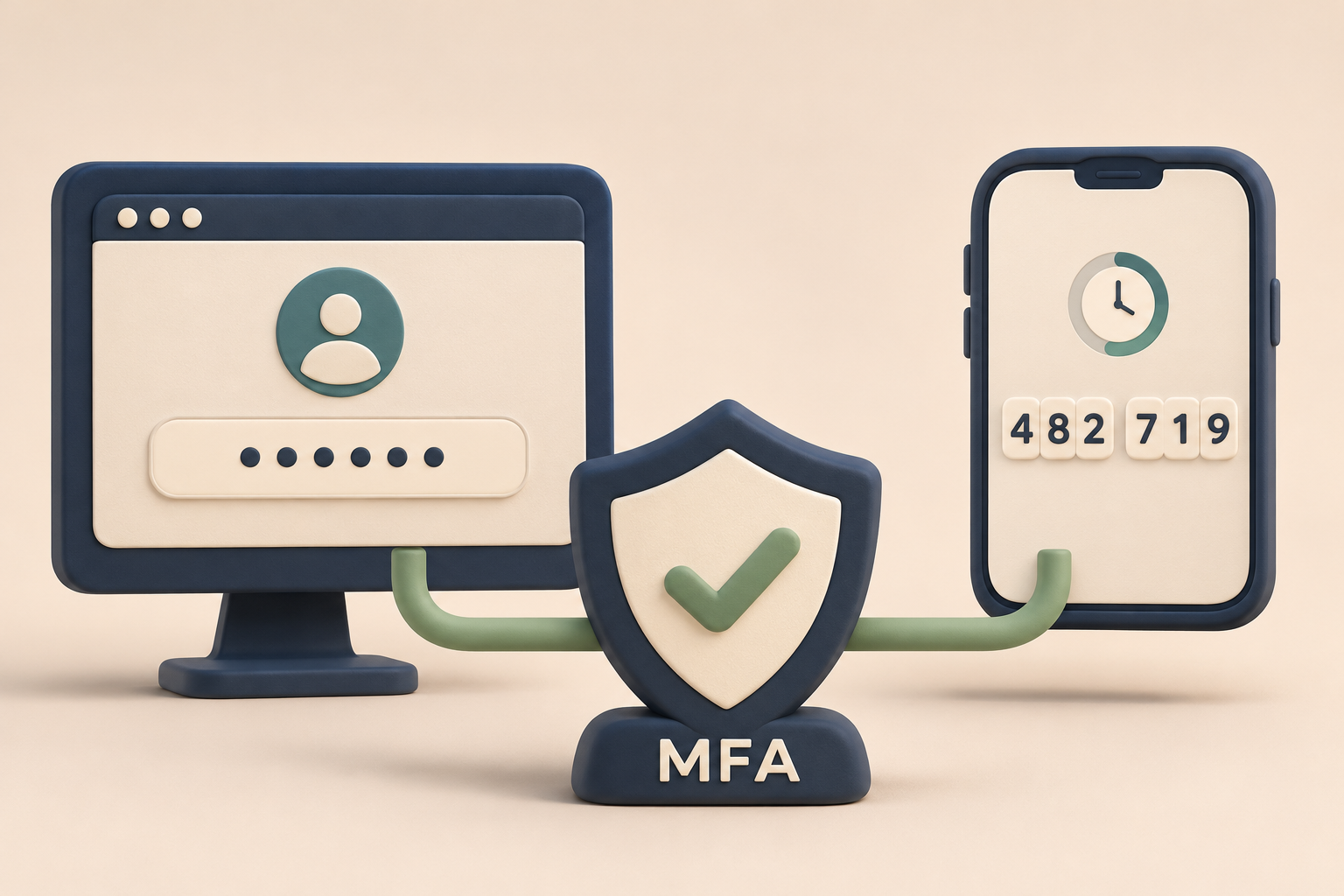
In Validarium, I have explored multi-factor authentication (MFA) and Content Security Policy (CSP) in more detail. With CSP in particular, I have gone deeper than on previous projects and learned how it connects to a particular application.
While checking the application with an AI agent, we found an MFA edge case that the existing tests had missed. It reminded me that implementing a security mechanism is only part of the work. I also need to verify less common situations and its interactions with other parts of the application.
API, MCP, and Webhooks as Ways Into the Application
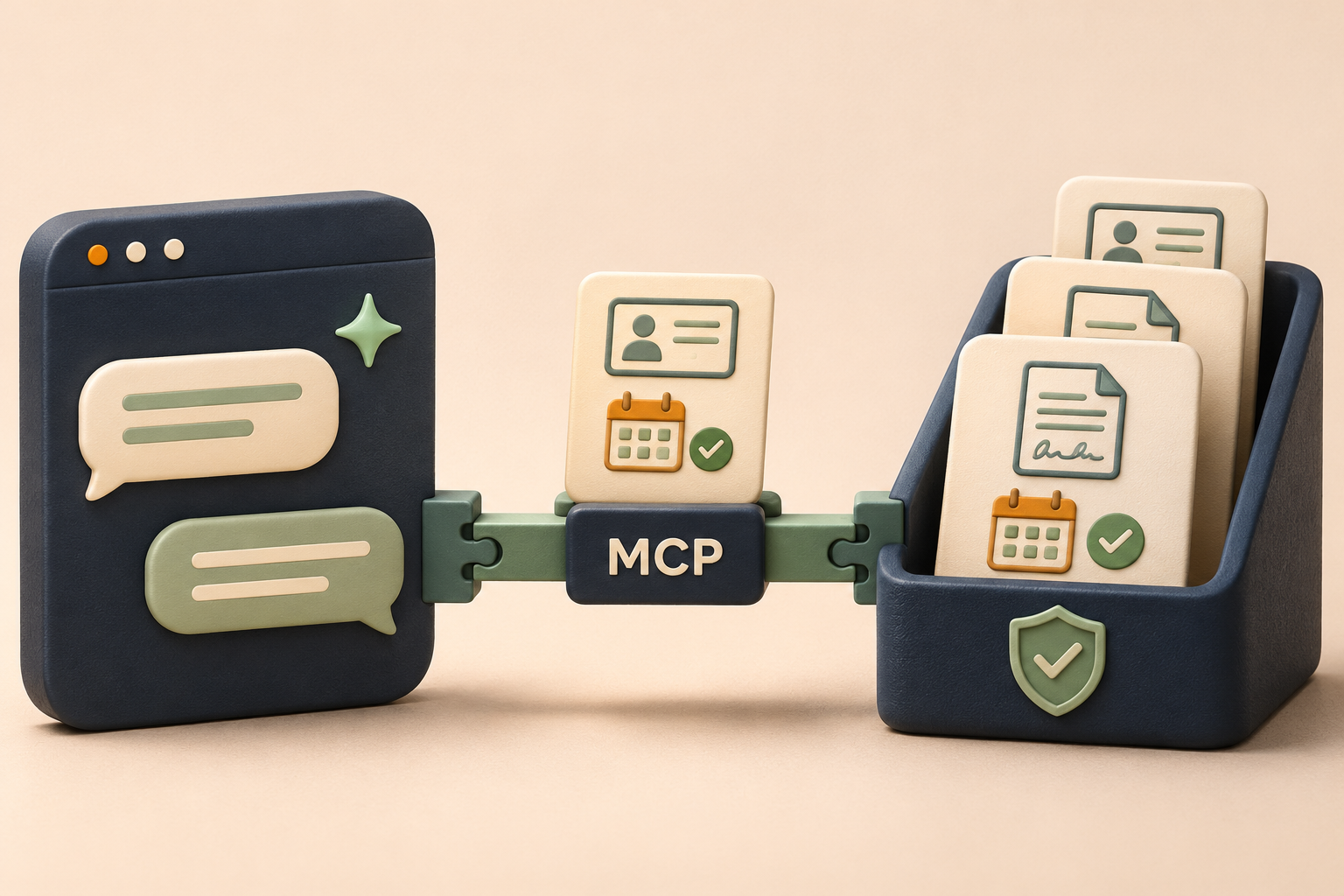
Validarium includes an API, MCP, and webhooks. For the way I want to use the application, these connect directly to the original idea: working with expiration records from whichever environment I am currently in.
The API provides an interface for other applications. MCP enables access through AI clients. Webhooks allow other processing to follow events in the application.
From a user's perspective, convenience matters most to me. If I am already working with related information somewhere, I want to build on it without unnecessary retyping.
From a technical perspective, I care about consistency. Every additional route into the application introduces questions about access, context, and permitted operations. Workspace rules and permissions have to be part of the design here as well.
I also distinguish between two different roles for AI. One is an AI client through which someone can work with Validarium using MCP. The other is an AI agent helping me develop Validarium itself. Both are present in the same project, but they address different problems.
Email, Push Notifications, and Payments
Validarium integrates with Mailgun for sending email. Google Firebase handles push notifications for the mobile application. The project also includes a Paddle payment integration.
These areas expand my experience of building an application as a whole. Alongside the product's main function, I encounter further processes and dependencies that need to be considered in the design.
On a personal project, I can work through the whole integration and understand it in the context of the other parts. I consider that important for future work too. Individual services can be integrated in different ways, but their practical value becomes clear when used within a particular application.
Why I Changed How I Manage AI Agent Context
Alongside the technical architecture, I am using Validarium to refine my AI workflow. Previously, I asked the agent to record individual steps directly in the project or its memory so that it could resume work later. Gradually, descriptions of how the application currently worked became mixed with the history of individual tasks.
I now separate these kinds of information. Project documentation should contain the current architecture, conventions, and rules. I keep specifications, ongoing notes, decisions made during implementation, and work results in ClickUp. The same principle can work in another tool that agents can access.
If a task produces a new architectural rule, it belongs in the documentation. Individual attempts and temporary obstacles can stay with the task. When I return to the project, I can quickly find out what applies today and look up the details where they originated.
From a Quick Note to a Detailed Task

How a task starts depends on where the idea occurs to me.
Sometimes I am away from home, perhaps on a walk or on holiday. I take out my phone and add at least a task title in the ClickUp mobile application. If I have a little more time, I dictate a basic description as well.
At that moment, I mainly need to capture the idea. A detailed technical specification can come later.
At other times, I am at my computer working through something with an AI agent. During the work, we discover that the problem is broader than expected or that a follow-up change deserves a separate task.
In that case, we record the work in the project management tool and prepare a more detailed specification for the agents that will handle it later.
The project management system connects several moments that may be separated by considerable time. I capture an idea, refine it later, pass it on for implementation, and find the progress and result in the same place.
This suits a project I work on whenever I have spare time. I do not need to remember every detail of the previous session whenever I return.
From a Human Request to a Technical Specification
In my regular work, I often receive tasks prepared by the agency or the client. Requirements are written in the words of someone describing a need who may not know the code or the application's internal structure.
That is natural. A developer supplies the technical context, or a colleague translates the request into a more specific proposal beforehand.
On my personal project, I am experimenting with involving AI at this preparation stage.
When an agent and I think through a problem with access to the project context, we can prepare a more detailed basis for implementation. The specification gradually gains information about related parts of the application, constraints, and the expected outcome.
I still need to check whether it accurately describes the original intent. Detailed writing can sound convincing while addressing something slightly different from what I wanted.
I therefore consider turning an idea into a specification I understand and can assess an important part of my work. The more independently an agent is expected to work afterward, the more this starting point matters.
An Agent Also Needs to Use the Application
I have found it useful to let AI agents work directly with the computer and development tools. During mobile development, the agent could launch the application in an emulator, move through its screens, and verify its behavior through the user interface.
This helped uncover visual issues and bugs that the tests alone had missed. Automated checks tell me about the scenarios they verify. Walking through the running application can reveal what those checks are missing.
That is why I want to give agents an environment where they can actually see and try their results when the task calls for it. I’ve started exploring how an agent can help create ad banners and social media graphics. With access to my local Validarium project, it can try a new feature in a browser or Android emulator, create sample data for a realistic scenario, and take screenshots. It can plan posts and ads via the Airtable connector and design graphics in Canva. In the future, I’d like it to review the changelog or Git commits regularly and draft graphics for new features.
Agent Independence Depends on Guardrails
AI agents in my project have predefined instructions and guardrails they must follow. I have already discussed guiding AI agents in a separate article about vibe coding in Laravel.
Validarium lets me apply those principles in practice.
Access to tools and context is not enough on its own. An agent needs to know which rules to follow and what is expected of the result. I also need to be able to review its work.
Greater independence is therefore connected to the quality of the specification and how results are handed over. I want to understand what the agent changed, why it changed it, and how it verified the solution.
For quality checks, I use Pest, Larastan, Laravel Pint, Rector, and Pest type coverage. GitHub CI runs the complete test suite, including code coverage measurement. Automated checks complement change review and verification of the application's behavior.
I remain responsible for the application. What changes is the distribution of work: I can delegate some implementation and verification while giving more attention to the specification, its context, and review.
Less Time in the IDE, More Visibility Into the Work
Looking ahead, I am interested in managing more of the development process through a project management tool.
A developer can use its desktop or mobile application to assign work, add context, and track task status. AI agents connected to the system can process prepared tasks and hand over changes for review.
Some communication and coordination therefore need not depend on having an IDE open.
I can imagine several people working in such an environment. Each can contribute and refine requirements while agents take on implementation based on the prepared specifications. Developers can then spend more of their time on technical decisions and code review.
I am gradually exploring this model on my own project. I distinguish between what I already use and where I want to get to. The project management tool already serves as a place for assignments and work context. A broader way of organizing work around agents is a direction I am still investigating.
With more people involved, task dependencies, simultaneous changes, and responsibility for accepting them will also need attention. A personal project lets me start on a smaller scale and better understand what this workflow requires.
The Experience Also Feeds Into LaraDep
Developing Validarium also influences my other project, LaraDep, which focuses on server setup and application deployment. Although I am still developing it, I already use it to deploy Validarium.
LaraDep placed an automatic deployment playbook on the server, including dependency installation and frontend asset builds. Running a real application helps me understand which steps repeat and what needs attention during deployment. I then use these lessons in the further development of LaraDep.
What I Want to Reuse in Future Applications

I want to reuse the foundations of both the web and mobile versions of Validarium in future projects. I have already brought together workspaces, permissions, security, and integrations, and I better understand the decisions behind them.
I do not yet mean a finished collection of independent packages or a universal solution. I want a practical foundation that I know and can adapt to a new idea. Each future application will need different parts.
Alongside the code, I am also taking away a process for capturing an idea, preparing a specification, handing work to an agent, and verifying the result.
What Validarium Means to Me Today
For me, Validarium combines a personal need, learning, and the development of a useful application. The web version is live, the Android application is in internal and closed testing, and I continue working on the project in my spare time.
Experience with mobile development, security, integrations, and AI agents helps me refine how I want to build applications. The opportunity to keep testing these lessons on a real product is why personal projects make sense to me.
Bonus for Developers: What I Use in Validarium
For developers, here is an overview of the technologies, tools, and architectural areas used in Validarium. It covers the web and mobile applications, quality checks, and the operational environment.
Backend and User Interface
PHP and Laravel — the applications' foundation and business logic.
Blade — templates for the web interface.
Livewire — interactive components connected to the backend.
Alpine.js — browser-side interactions.
Filament — the administration interface.
Tailwind CSS — user interface styling.
Vite — building frontend assets.
NativePHP — the foundation of the Android application, currently in internal and closed testing.
Data, Storage, and Background Jobs
MariaDB — the application database.
Redis — caching, queues, and session storage.
Queues and a queue worker — background job processing.
Cloudflare R2 — object storage accessed through an S3-compatible interface.
Workspaces and Permissions
Multi-tenancy and workspaces — separating data and work into individual workspaces.
Global roles and permissions — application-level access rules.
Workspace roles and permissions — access control within a particular workspace.
Custom user roles — workspace owners can create roles and assign available permissions.
Security
MFA — multi-factor authentication.
CSP, Content Security Policy — rules for loading and executing content in the browser.
Integrations, Notifications, and Payments
API — connecting Validarium to other applications.
MCP, Model Context Protocol — accessing selected operations through AI clients.
Webhooks — delivering event information to other systems.
Mailgun — sending email.
Google Firebase — mobile push notifications.
Paddle — payment integration.
Testing and Quality Checks
Pest — automated application tests.
Code coverage — measuring how much code is covered by tests.
Pest type coverage — checking coverage by type declarations.
Larastan — static code analysis with Laravel awareness.
Laravel Pint — consistent PHP code style and formatting.
Rector — automated code transformations and modernization according to configured rules.
GitHub CI — running the full test suite, including code coverage measurement.
Dependabot — monitoring dependency updates and preparing update pull requests.
Deployment and Operations
LaraDep — server setup and deployment automation, including dependency installation and frontend asset builds.
open_in_new Related resources
Links to related resources
Selected references, documentation, repositories, and other useful materials connected to this content.
hub Related content
Related content
Additional content from this site connected to this article.
Laravel Livewire
Laravel Livewire lets you build interactive interfaces while keeping most of the logic close to Laravel. It fits forms, filters, tables, admin screens, and product areas where you do not want to build a separate frontend application for every interaction. Its biggest value appears when components stay small and clearly bounded.
Laravel Pint
Laravel Pint solves one quiet but important problem: the team no longer has to keep discussing PHP code formatting. It is built on top of PHP-CS-Fixer, ships with sensible Laravel defaults, and works well both for local fixes and CI checks. Its biggest value appears when code style stops being a code review topic.
Categories
You might also enjoy

How I Use AI Agents to Manage My Website

What AI Took from Me and What It Gave Me