Laravel Telescope
Laravel Telescope is a developer diagnostic tool for Laravel applications. It helps inspect requests, database queries, exceptions, logs, jobs, mail, cache operations, and other events happening inside the app. It makes the most sense during local development and debugging, when you need to understand behavior quickly without digging through logs manually.
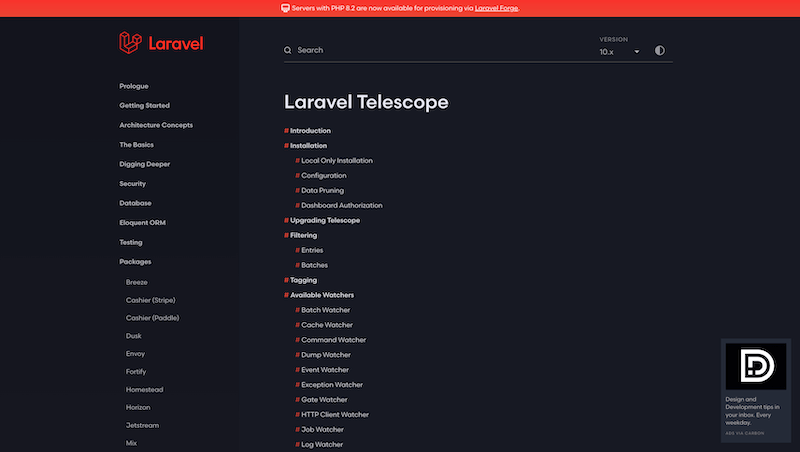
Laravel Telescope is not something I would classify as production monitoring. I see it as developer diagnostics. Its value is that it quickly shows what is actually happening inside a Laravel application. When you are dealing with a slow request, unexpected database queries, a failing job, or an exception, there is a big difference between guessing and having a concrete trace in front of you.
Telescope collects information about requests, database queries, exceptions, logs, jobs, mail, cache operations, notifications, and other parts of the framework. It does not fix architecture or performance for you. What it does is shorten the path from “why is this happening” to “this specific part deserves attention”.
When logs are not enough
Logs are useful, but they are not always comfortable. Often you need to see the whole request context, related queries, session data, an exception, and nearby events together. Telescope puts that into one interface, so debugging is not just scrolling through a text file and looking for the right timestamp.
That is especially useful while building new features. When you change a form, an API endpoint, or a job, you quickly see how the application behaves. If ten unnecessary queries appear or a job runs differently than expected, Telescope makes it visible fast.
Queries, requests, and exceptions
Database queries are one of the most common places where Telescope helps. In Laravel applications, it is easy to accidentally create an N+1 issue through Eloquent or run more queries in a request than necessary. Telescope gives the developer a concrete view, not just a feeling that something is slow.
It is just as useful for exceptions and requests. When an error happens during a specific action, you can inspect the request, user, payload, and related data. That speeds up debugging and often reduces the need for temporary dumps or extra logging.
Local development and team work
Telescope fits best in local and development environments. There it can be detailed and open, because that is exactly what you want from it. A developer needs to see a lot of information and move quickly between events.
In a team, Telescope can also become a shared language for diagnosing issues. Instead of saying “this endpoint is slow”, you can point to a concrete request and show the queries that slow it down. That moves the discussion from opinions to data.
What to watch out for
Telescope collects sensitive information about the application. That means you need to be careful about where it is enabled and who can access it. In production, I would use it only with a clear reason, proper authorization, and sensible data filtering.
Used in the right environment, Telescope is an excellent helper. It is not a replacement for Sentry, APM, or long-term monitoring. It is more like a developer magnifying glass for a Laravel application. That is exactly where it is strong: it quickly reveals details that would otherwise stay hidden in logs or inside the framework.
hub Related tools
Explore similar tools
A random selection of tools from the same category.
Laravel Pint
Laravel Pint solves one quiet but important problem: the team no longer has to keep discussing PHP code formatting. It is built on top of PHP-CS-Fixer, ships with sensible Laravel defaults, and works well both for local fixes and CI checks. Its biggest value appears when code style stops being a code review topic.
Rector
I see Rector as a tool for the point where manual refactoring stops making economic sense. It can scan a PHP codebase, apply mechanical changes, and help with language or framework upgrades without forcing a developer to hand-edit thousands of tiny details. Its real value appears when it is part of a controlled process, not blind automatic rewriting.
Laravel Horizon
Laravel Horizon is a practical layer on top of Redis queues in Laravel. It helps monitor job throughput, failures, runtime, and worker configuration, so queues are not just a process running somewhere on a server, but a part of the application you can actually observe and manage. It makes the most sense in projects where queues are used regularly and their state affects production.
add_circle Missing a tool?
Suggest a tool for the list
If you could not find a useful tool here, send me its name and URL. I will review it and consider adding it to the public catalog.
